Why Choose Fiber Optic Installation for Warehouse Network Cabling?
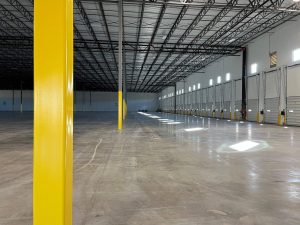
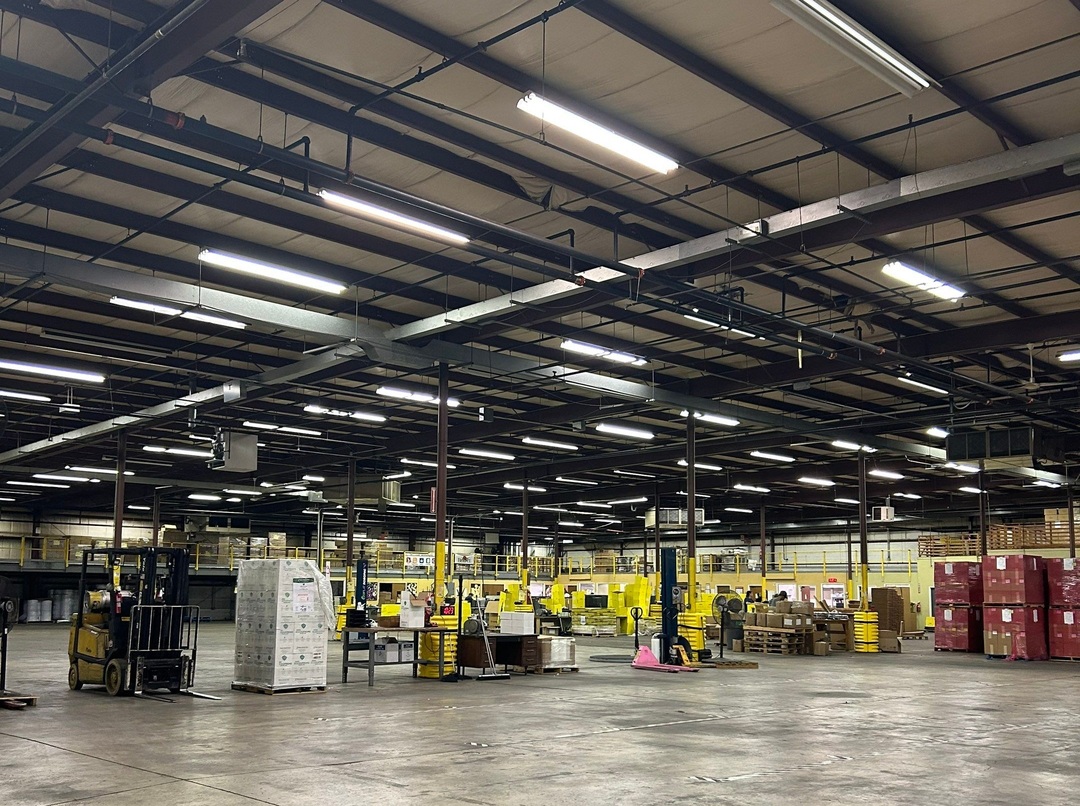
A new, empty distribution center is the best time to plan warehouse network cabling. Before racking and conveyors go in, high ceilings and open bays make it easier to run fiber pathways to the dock doors and telecom rooms.
Walk through a modern distribution center and you’ll see conveyors, sortation lanes, robots, handheld scanners, and dock cameras all working at once. Every one of those systems depends on data reaching the right place without delay. As order volumes climb and automation spreads across the floor, many operators are finding that their old copper backbone can’t keep up. Fiber optic installation gives warehouses the speed, distance, and reliability they need, and it changes how warehouse network cabling is planned from the dock door to the server room.
What Are Fiber Optics Used For in Warehouses and Distribution Centers?
In most warehouse network cabling designs, fiber forms the backbone: the high-capacity links that tie the main equipment room to telecom closets spread across a large building, or that connect separate buildings on the same campus. From those closets, copper or wireless typically handles the last stretch to individual devices. Common uses include:
- Warehouse management and ERP systems that need constant, low-latency connections to track inventory in real time.
- Wi-Fi access points that keep handheld scanners, tablets, and vehicle-mounted terminals online across hundreds of thousands of square feet.
- Automation and robotics, including conveyor controls, automated storage and retrieval systems, and autonomous mobile robots.
- Security systems such as IP cameras, access control at dock doors, and perimeter monitoring.
- Building-to-building links between a main facility, a cross-dock, and a guard shack.
Structured cabling for warehouses ties all of these together in one organized, documented design. Fiber optic installation is what lets that design stretch across distances copper simply can’t cover, and well-planned warehouse network cabling keeps every system on the floor talking to the others.
How Fiber Optic Technology Works
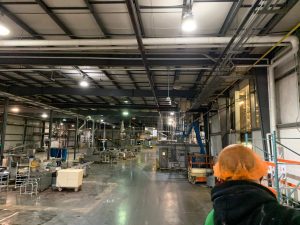
Older industrial buildings are full of piping, conduit and machinery. A walk-through site survey maps cable tray routes, lift access and sources of electrical interference before any warehouse network cabling goes in.
Fiber optic cable carries data as pulses of light through strands of glass about the width of a human hair. Each strand has a core that carries the light and a cladding layer that reflects it back inward, so the signal travels long distances with very little loss. Because the signal is light rather than electricity, it isn’t affected by the electrical noise that fills an industrial building. That immunity is one of the main reasons fiber optic installation has become standard in warehouses and distribution centers.
Single-Mode vs. Multi-Mode Fiber
Single-mode fiber (OS2) has a very small core that carries a single path of light. It supports the longest distances, often several kilometers or more, and offers the most headroom for future speeds. It’s the usual choice for campus links, building-to-building runs, and long backbones in very large facilities.
Multi-mode fiber (OM3, OM4, OM5) has a larger core that carries multiple paths of light. It works well for shorter runs inside a building, such as an equipment room feeding nearby closets. At 10 Gbps, OM4 typically reaches about 400 meters, which covers many single-building layouts.
Good warehouse network cabling often uses both types: single-mode for long or growth-critical runs, multi-mode for shorter links. Many installers now lean toward single-mode for new backbones because transceiver prices have dropped and it leaves more room to grow, which makes it a smart default for any new fiber optic installation.
Fiber vs. Copper, Coax, DSL, and Satellite
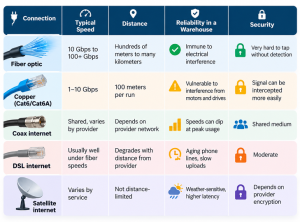
How the connection options compare in a warehouse. Fiber leads on speed, distance, reliability and security, which is why most new warehouse network cabling uses a fiber backbone with copper for short runs to devices.
It helps to separate two questions: what runs inside your building (fiber or copper cabling) and how your building connects to the outside world (fiber, coax, DSL, or satellite internet service).
Speed. Fiber carries far more bandwidth than any of the alternatives, and upgrading usually means swapping the electronics at each end rather than replacing the cable. A single fiber optic installation can carry a facility through several speed upgrades on the same glass.
Reliability. Copper is limited to 100 meters per channel. In a large building, that means more telecom closets, more switches, more power, and more cooling. Conveyor motors, variable frequency drives, and high-bay lighting also generate electromagnetic interference that can cause errors on copper. Fiber optic installation avoids both problems. For internet service, coax, DSL, and satellite either share bandwidth or rely on older infrastructure, and none deliver the steady, symmetrical speeds a busy DC needs for cloud-based WMS, carrier portals, and video.
Security. Fiber doesn’t radiate a signal. Tapping it means physically breaking into the cable, which usually causes signal loss that monitoring tools can detect. That makes fiber-based warehouse network cabling a strong foundation for sensitive inventory and customer data.
Copper still has a place. It remains the practical choice for short runs to devices and for Power over Ethernet to cameras and access points. The best warehouse network cabling designs pair a fiber backbone with copper at the edge.
What Fiber Optic Installation Involves
A professional fiber optic installation follows a clear sequence:
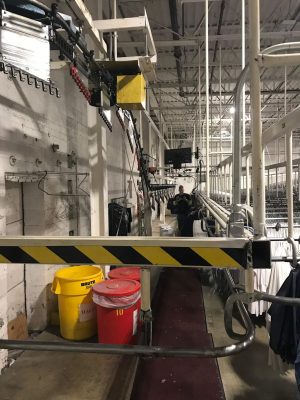
Automated sortation lines like this overhead garment conveyor depend on a steady network connection. Conveyor motors and drives also create electrical interference, which is why many facilities run their warehouse network cabling backbone on fiber.
- Site survey and needs assessment. The installer maps the building, telecom room locations, device counts, existing pathways, and expansion plans.
- Design. The team sets strand counts, fiber types, routes, redundancy, and a labeling scheme that follows industry standards.
- Pathways. Cable tray, J-hooks, innerduct, and conduit are installed. High ceilings usually call for scissor or boom lifts, and links between buildings may require trenching, boring, or aerial runs.
- Pulling and termination. Cable is pulled and then terminated by fusion splicing or with factory pre-terminated assemblies that speed up work on site.
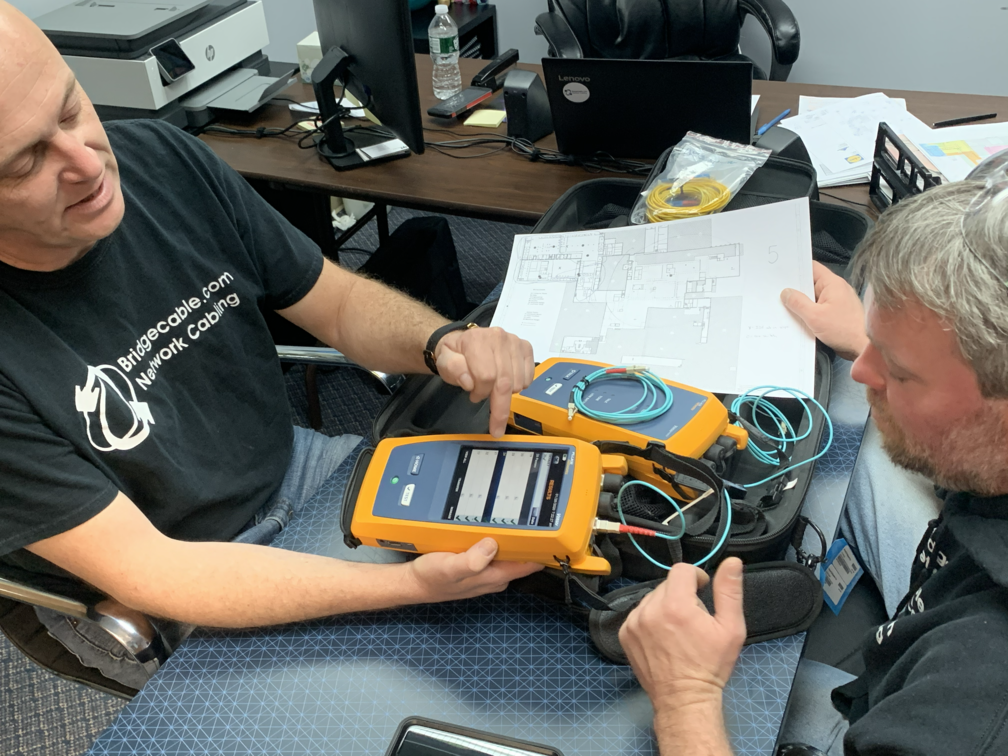
- Testing and certification. Every link is tested for loss, and many installers add OTDR traces that show the condition of the cable end to end.
- Documentation and cutover. As-built drawings, labels, and test results are handed over, and traffic moves to the new network.
Equipment You’ll Need
- Indoor, outdoor, or indoor/outdoor rated fiber cable, armored where forklifts or rodents are a risk
- Fiber enclosures, patch panels, and splice trays
- Connectors (LC is the most common) and patch cords
- Optical transceivers and switches with fiber ports
- Media converters where older copper-only equipment remains
- Cable tray, innerduct, and conduit for protected pathways
Experienced distribution center cabling services teams also plan around live operations, working in zones and scheduling lift work away from active pick aisles, so the fiber optic installation never holds up an outbound shipment.
What’s the Timeline for Transitioning to Fiber Optics in Distribution Centers?
Timelines for fiber optic installation vary with building size, permits, material lead times, and how much work happens around live operations. As a general guide:
- Assessment and design: about one to three weeks.
- Materials: often ready quickly, though specialty cable or long outdoor runs can add lead time.
- Single-building backbone: commonly a few days to a few weeks of installation.
- Multi-building campus: several weeks to a few months when trenching or boring is involved.
- Cutover: usually done in phases during nights, weekends, or slow shifts.
Most DCs avoid starting major warehouse network infrastructure installation right before peak season. Planning the project in spring or summer gives the new fiber optic installation time to settle in before Q4 volume hits.
Can Fiber Optics Reduce Operational Costs in Distribution Centers?
Yes, though the savings show up over time rather than on day one. Upfront, fiber optic installation can cost more per link than copper warehouse network cabling once you add termination, testing, and transceivers. The return comes from several directions:
- Fewer telecom rooms. Because fiber covers long distances, one central equipment room can often serve an entire building. That means fewer closets to power, cool, secure, and maintain.
- Less downtime. When scanners, conveyors, or label printers stop, shipments stop. Fiber’s immunity to interference and its higher capacity reduce the slowdowns and dropped connections that cost a DC real money.
- No rip-and-replace. Copper generations are often replaced as speeds rise. With fiber, the cable can usually stay in place while switches and transceivers are upgraded.
- Lower maintenance. Fiber doesn’t corrode, and a well-documented system is faster to troubleshoot.
- Room for automation. Robots, vision systems, and more cameras all add bandwidth demand. A fiber backbone handles that growth without new cable pulls.
When you weigh the full life of the system, fiber optic installation usually delivers a lower total cost of ownership than continuing to patch and extend aging copper warehouse network cabling.
Maintenance, Lifespan, and Future Bandwidth Planning
A properly completed fiber optic installation is commonly designed to serve for 20 to 25 years or longer, outlasting several generations of network equipment. Maintenance is simple but important:
- Keep connectors clean. Dirty connectors are one of the most common causes of fiber problems. Inspect and clean before every connection.
- Protect the cable. Use armored cable or protective raceway in forklift zones, and keep bend radius within spec.
- Keep records current. Update labels and drawings after every move, add, or change.
- Retest periodically. Compare new test results against the original certification to catch problems early and keep your warehouse network cabling performing as designed.
For future planning, pull more strands than you need today, since adding them later costs far more than including them up front. Leave spare conduit between buildings, consider single-mode for backbones, and plan for growth in Wi-Fi access points, private wireless networks, robotics, and high-resolution cameras. Smart fiber optic installation sizes the network for the facility you’ll run five or ten years from now.
Choosing a Fiber Optic Installation Company
The installer you choose affects how your warehouse network cabling performs for decades. When comparing commercial fiber optic cabling providers, look for a team that:

Distribution centers often run around the clock, so network downtime can stop trucks at the dock. Planning the outdoor fiber routes that connect each building, and the site’s link to an internet provider, is one of the first steps in any fiber optic installation.
- Employs BICSI-credentialed designers and technicians, ideally including an RCDD.
- Holds manufacturer certifications that come with extended system warranties.
- Tests and certifies every link and hands over full results and as-built documentation.
- Has experience in warehouses and industrial spaces, including lift work, high ceilings, and installation around live operations.
- Follows a strong safety program and works within your site rules.
- Offers ongoing fiber network installation services for moves, adds, changes, and expansions.
Local knowledge matters too. Fiber optic installers Philadelphia businesses rely on understand the region’s mix of older industrial buildings and new logistics parks along the I-95 and I-76 corridors, along with local permitting and utility coordination. A capable fiber optic installation company will treat warehouse network cabling as part of your operations plan, not just a construction task.
Frequently Asked Questions
What are fiber optics used for in warehouses and distribution centers? In warehouse network cabling, fiber forms the backbone that connects equipment rooms, telecom closets, and separate buildings. It supports WMS and ERP systems, Wi-Fi for scanners, automation and robotics, and security cameras and access control.
Can fiber optics reduce operational costs in distribution centers? Yes. Fiber optic installation reduces the number of telecom rooms, cuts downtime from interference and congestion, and avoids repeated re-cabling, which lowers total cost of ownership over the life of the system.
What’s the timeline for transitioning to fiber optics in distribution centers? Most single-building fiber optic installation projects take a few weeks from assessment to cutover, while multi-building campuses with trenching can take a few months. Phased cutovers keep operations running throughout.
Bringing It All Together
Fiber has moved from a nice-to-have to the standard backbone for modern warehouses and distribution centers. It delivers more speed, longer reach, better reliability, and stronger security than copper, coax, DSL, or satellite, and it supports the automation that keeps orders moving. Start with an honest assessment of your current warehouse network cabling, plan for the facility you’ll need in the years ahead, and partner with an experienced team for your fiber optic installation. The result is a network that keeps pace with every pallet, scan, and shipment.
For help with any project or installation in the New Jersey or Philadelphia area please call us at 877-832-1206.
For more ideas please visit – https://www.bridgecable.com/services/
For more information and educational content please visit:
https://www.youtube.com/@BridgeCable
Copyright © 2026 Bridge Cable. All rights reserved.
Mailing: 2745 Terwood Road, Willow Grove, PA 19090
Warehouse: 2066 W. Hunting Park Ave, STE 308, Philadelphia, PA 19140
Related Posts
How Do You Choose a Fiber Optic Installation Contractor?
Why Your Inventory Heatmap Must Match Peak Stock

